
Laptop Upgrades
Laptop Upgrades
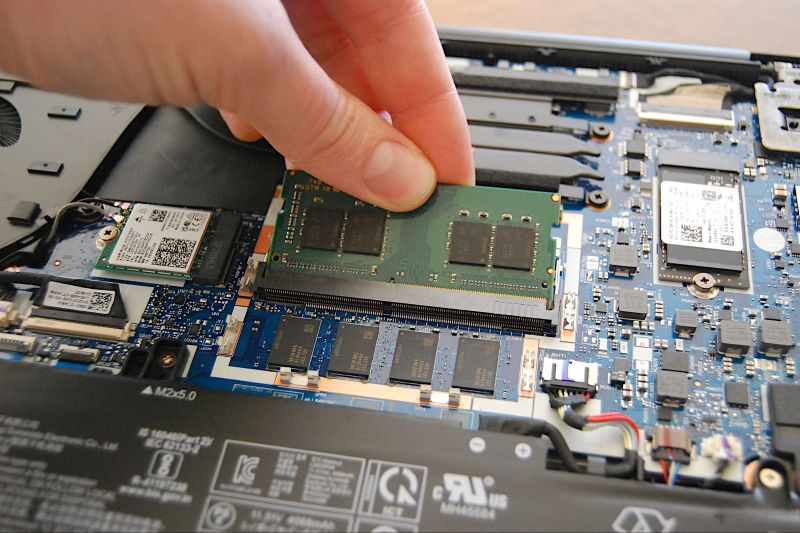
AvailableBreathe new life into your existing laptop with a hardware upgrade. We fit replacement or additional RAM and faster storage (NVMe SSD, SATA SSD, or HDD), matched to your device's exact specification. The result is a significant improvement in speed, responsiveness, and capacity — at a fraction of the cost of a new machine. Parts cost is additional to the quoted labour price.
How It Works
Compatibility Check. Not all laptops support every upgrade. Before any work begins, we confirm what your specific model supports — maximum RAM capacity and speed, supported storage form factors (M.2 NVMe, M.2 SATA, 2.5" SATA), and whether upgrade-accessible slots are present. We advise on the best upgrade path for your goals and budget.
Component Sourcing. We source replacement or additional components to your confirmed specification. If you have already purchased your own upgrade parts, we are happy to fit those — we will verify compatibility before installation.
Data Backup Recommendation. For storage upgrades, if you want your existing data and operating system migrated to the new drive, please ensure you have a current backup. We can perform an OS migration as part of the service — please mention this when booking.
Installation. The laptop is opened using the correct tools for your model. Components are installed with anti-static precautions and seated correctly to avoid errors that could prevent boot or cause instability.
Post-Install Testing. After reassembly, the new components are verified — RAM is confirmed at full speed and capacity, storage is detected and health-checked, and the system is stress-tested to confirm stability under load.
OS & Driver Verification. We check that the operating system correctly recognises the new hardware. Where a new drive is installed, the system is configured and ready for use.
Frequently Asked Questions
How much faster will my laptop be?
The improvement depends on your current specification and what you are upgrading to. Adding RAM improves multitasking and reduces slowdowns when switching between applications. Replacing a traditional hard drive (HDD) with an SSD is often the single most impactful upgrade available — boot times and application launch speeds can improve dramatically, and general responsiveness is transformed.
Can every laptop be upgraded?
Not always. Some modern ultra-thin laptops have RAM soldered directly to the motherboard, making RAM upgrades impossible. Some models also have only one storage slot. We always confirm compatibility before recommending or proceeding with an upgrade, and will be honest if your device is not upgrade-compatible.
What is the difference between NVMe, SATA SSD, and HDD?
NVMe SSDs are the fastest modern storage type — typically 3–5x faster than SATA SSDs, and 10–20x faster than traditional hard drives. SATA SSDs are still a significant upgrade over HDDs. HDDs offer higher capacity at lower cost but are considerably slower and more vulnerable to physical shock. We will recommend the right type for your laptop and intended use.
Can you transfer my data to a new drive?
Yes. We can clone your existing operating system and files to the new storage drive so everything is exactly as you left it. Please ensure your data is backed up before we start.
What if I supply my own parts?
We are happy to fit customer-supplied components after verifying compatibility. Our warranty covers the labour in this case; component warranty sits with the original supplier.
Is the parts cost included in the listed price?
No — the listed price covers labour only. Parts are sourced and quoted separately before any purchase is made. We will always confirm the total cost before proceeding.
Why Choose a Professional Service?
Hardware upgrades look straightforward until something goes wrong. Common issues with DIY upgrades include:
RAM installed in the wrong slot configuration can prevent dual-channel operation, halving memory bandwidth
M.2 NVMe drives installed in SATA-only slots (or vice versa) will simply not work — compatibility is critical
Electrostatic discharge during handling can silently damage components, causing instability that is difficult to diagnose later
Forcing screws or connectors on an unfamiliar model can cause expensive collateral damage
Professional installation ensures the upgrade is done correctly the first time, with testing to confirm it is performing as expected before the laptop leaves our hands.